

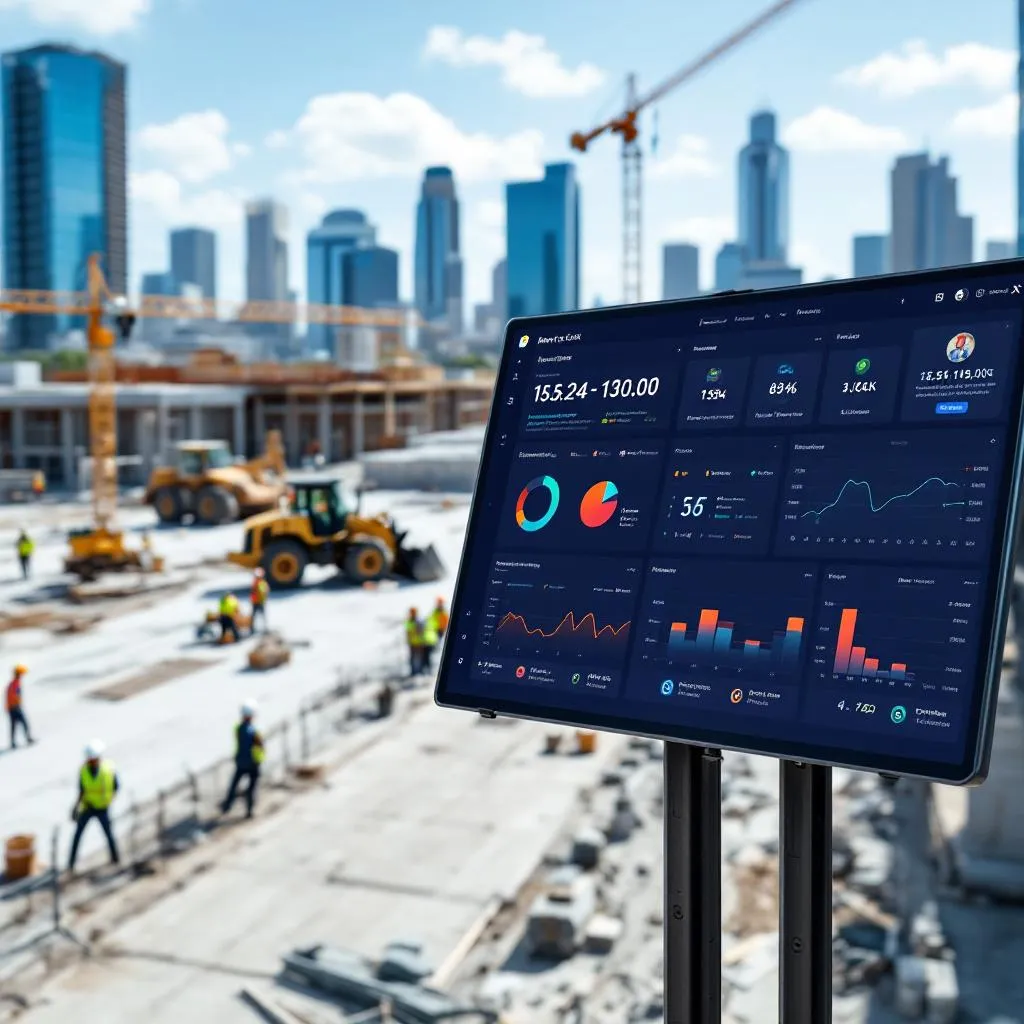
5 Ways San Antonio Builders Save Time with Top Document Management Tools
Why Document Management Is a Game-Changer for San Antonio Builders
Building in San Antonio—whether it’s a custom home in Alamo Heights or a massive commercial project downtown—is no small feat. You’re juggling countless moving parts: blueprints, contracts, daily logs, RFIs, submittals, safety forms, you name it. Trying to keep all that paperwork in check the old-fashioned way is a recipe for headaches, delays, and lost profits.
In a fast-paced market like San Antonio, time is money. Every minute spent digging through emails or chasing down the right version of a plan is time you’re not building. That’s where modern document management tools come in. They’re like a lifeline for builders, cutting through the chaos and helping you focus on what you do best—constructing amazing projects. In this article, I’ll walk you through five practical ways these tools save you time, make your work smoother, and boost your bottom line.
I’ve laid this out to get straight to the point, with clear examples and real benefits that hit home for local builders. Whether you’re a small contractor or running a big operation, these insights are meant to help you see exactly how to tackle your daily grind.
What’s Eating Up Your Time? The Real Costs of Old-School Document Management
Before we dive into solutions, let’s talk about why managing documents manually is such a time-suck. These aren’t just minor annoyances—they’re real problems that hit your schedule and wallet hard.
Version Mix-Ups That Cause Chaos
Ever had a crew working off an outdated blueprint? With architects, engineers, and subs all tweaking plans, it’s easy for the wrong version to slip through. That leads to mistakes, rework, and sometimes even arguments that end up in court. Sorting out who changed what and when is a nightmare when you’re doing it by hand.
Communication Gaps That Slow Everything Down
When info is scattered across emails, paper files, or different apps, it’s tough to keep everyone on the same page. Miscommunication is a top reason projects fall behind or go over budget. If your team can’t quickly find the latest data, you’re setting yourself up for delays and errors.
Endless Paperwork and Data Entry
Construction is buried in forms—daily reports, safety checklists, time cards. Typing or handwriting all that info takes forever and is a magnet for mistakes like typos or lost sheets. Plus, by the time you get data from the field to the office, it’s often too late to fix problems before they grow.
Tracking Subcontractors Is a Hassle
Subs often use their own systems, which don’t always play nice with yours. That makes it tricky to track their progress, bill accurately, or see how resources are being used across projects. The result? Billing delays and a foggy picture of what’s happening on-site.
Security and Compliance Worries
Protecting sensitive stuff like contracts or client info is a must, but paper files or random digital folders are easy targets for breaches. Plus, keeping up with regulations like GDPR or ISO without proper tools is a time-consuming pain and a legal risk.
Too Much Paper, Not Enough Buy-In
The sheer amount of paperwork can overwhelm your crew, leading to skipped forms or bad data. And if you switch to digital but the system’s clunky or hard to use, your team won’t touch it. A tool’s only as good as the people willing to use it.
Table 1: Common Document Headaches and How Tools Fix Them
| Problem | Why It Wastes Time | How Document Tools Help |
|---|---|---|
| Version Mix-Ups | Leads to rework, delays, disputes | Keeps one master version with a clear history |
| Communication Gaps | Causes errors and slows projects | Enables instant team collaboration |
| Manual Data Entry | Tedious, error-prone, outdated data | Automates data capture and reports |
| Subcontractor Tracking | Messes up billing and progress | Syncs sub data with your system |
| Security & Compliance | Risks breaches and penalties | Adds strong security and compliance checks |
| Paperwork Overload | Leads to skipped tasks, poor adoption | Simplifies with mobile-friendly digital tools |
Five Ways Document Tools Save You Time
Good document management tools are built to tackle these problems head-on, turning time-wasters into time-savers. Here’s how they help San Antonio builders get more done.
1. Everything in One Place, Always Up to Date
No more digging through emails or file cabinets. These tools store all your project docs—plans, contracts, RFIs—in one spot, so everyone from the office to the jobsite has the latest version. This “single source of truth” cuts out errors from old files and saves hours searching for info. Plus, a clear record of every change helps avoid disputes, keeping your projects on track.
Tools to Check Out:
- Buildern: Keeps all your files in one secure hub, making client and project tracking a breeze.
- zipBoard: Stores everything in the cloud, so you can grab RFIs or contracts from any device, anytime.
- Autodesk Construction Cloud: Organizes files on one platform, so you’re not wasting time hunting for info.
- Aconex: Uses a single document register to lock in the right version for everyone.
2. Better Teamwork, Fewer Mix-Ups
These tools make it easy for your team, subs, and clients to work together in real time. You can mark up plans, leave comments, or approve changes right in the document—no endless email chains needed. Some tools cut approval times in half, speeding up your projects and getting you paid faster.
Tools to Check Out:
- zipBoard: Lets everyone comment and approve docs instantly, slashing approval times by up to 50%.
- Autodesk Construction Cloud: Makes team reviews smooth with easy markup and approval tools.
- Bluebeam Cloud: Allows real-time drawing edits on any device, speeding up feedback.
- iFieldSmart Technologies: Boosts teamwork with fast BIM integration for all project players.
3. Automate the Boring Stuff
Say goodbye to repetitive paperwork. These tools automate things like submittal approvals and report filing, so you’re not stuck doing manual tasks. They also keep a record of every action, which helps with compliance and cuts down on arguments over what was approved. Automation means faster workflows and fewer holdups.
Tools to Check Out:
- zipBoard: Speeds up submittal approvals by 50% with custom workflows and reminders.
- Aconex: Automates approvals with templates and tracks every step for compliance.
- Autodesk Construction Cloud: Simplifies approvals to keep projects moving.
- iFieldSmart Technologies: Uses AI to streamline scheduling and keep things on track.
4. No More Version Confusion
These tools lock in the right version of every document, so you’re not stuck fixing mistakes from outdated plans. They track changes and let you compare versions easily, plus they control who can edit what. This cuts down on rework and protects you if disputes pop up.
Tools to Check Out:
- zipBoard: Tracks versions securely and lets you roll back if needed.
- Buildern: Stops version mix-ups with tight access controls.
- Autodesk Construction Cloud: Auto-tracks versions and shows changes clearly.
- Aconex: Keeps one true version to avoid confusion.
- Egnyte: Meets tough security standards like GDPR with safe file sharing.
5. Work Smarter from the Jobsite
Mobile-friendly tools let your crew access and update docs right from the field. They can snap photos, upload videos, or file reports on the spot, so the office gets real-time updates. No more running back to base or dealing with lost paperwork—this keeps things moving and accurate.
Tools to Check Out:
- Buildern: Lets workers upload photos and reports straight from the site.
- Autodesk Construction Cloud: Syncs drawings to phones or tablets instantly.
- zipBoard: Built for mobile, so field teams stay connected.
- Bluebeam Cloud: Handles RFIs and submittals on-site with ease.
- PlanGrid: Designed for field crews with a simple mobile dashboard.
Table 2: Top Tools and How They Save You Time
| Tool | One-Stop Storage | Team Collaboration | Automation | Version Control | Mobile Access | Standout Feature |
|---|---|---|---|---|---|---|
| zipBoard | Yes | Yes | Yes | Yes | Yes | Cuts approvals by 50% |
| Buildern | Yes | Yes (shared docs) | Yes | Yes | Yes | 20% faster projects |
| Autodesk Construction Cloud | Yes | Yes | Yes | Yes | Yes | AI-powered versioning |
| Aconex | Yes | Yes | Yes | Yes | Yes (cloud) | Rock-solid audit trail |
| Bluebeam Cloud | Yes | Yes | Yes | Yes | Yes | Top-notch PDF markups |
| Procore | Yes | Yes | Yes | Yes | Yes | Cloud-based access |
| PlanGrid | Yes | Yes | Yes | Yes | Yes | Built for the field |
| iFieldSmart Technologies | Yes | Yes | Yes | Yes | Yes | AI-driven scheduling |
Picking the Right Tool for Your San Antonio Business
Finding the perfect document management tool means looking at what your business really needs, how much you can spend, and where you’re headed.
Can It Grow with You?
Whether you’re a small outfit or tackling huge projects, pick a tool that can handle more users and bigger jobs as you grow, without slowing down.
Does It Play Nice with Your Other Systems?
Your tool should work smoothly with your existing setup—think ERPs, CRMs, or accounting software like QuickBooks. Good integration means less manual work and fewer data silos.
Is It Easy to Use?
A tool’s no good if your team won’t use it. Look for something simple that doesn’t need tons of training, so everyone from the field to the office actually adopts it.
Is It Secure and Compliant?
You need strong security—encryption, access controls, and change logs—to protect your data and meet standards like GDPR or ISO. This keeps you safe from breaches and legal trouble.
Is It Worth the Cost?
Find a tool that fits your budget without sneaky extra fees. Flexible pricing plans let you get the features you need without overpaying.
Frequently Asked Questions
Why do San Antonio builders need document management tools?
These tools save time by organizing all project files in one place, cutting down on errors, delays, and disputes caused by manual processes. They help builders stay competitive in San Antonio’s fast-paced market.
What features should I look for in a document management tool?
Look for centralized storage, real-time collaboration, automated workflows, version control, and mobile access. These features streamline work, reduce mistakes, and keep your team connected.
How do these tools help with subcontractor management?
They sync subcontractor data with your system, making it easier to track progress, handle billing, and ensure everyone’s working with the same info, which cuts delays and boosts transparency.
Which document management tools are best for construction?
Top picks include zipBoard, Buildern, Autodesk Construction Cloud, Aconex, Bluebeam Cloud, Procore, PlanGrid, and iFieldSmart Technologies. Each offers unique strengths like fast approvals or mobile access.
How can I ensure my team actually uses the tool?
Choose a user-friendly tool with an intuitive interface and minimal training needs. Mobile access and integration with existing systems also boost adoption by making work easier for your crew.
Wrapping Up: Build Faster, Stress Less
For San Antonio builders, document management tools aren’t just nice to have—they’re a must. They streamline your info, boost teamwork, automate tedious tasks, keep versions straight, and let your crew work smarter from the field. All this adds up to faster projects, fewer mistakes, and more time to focus on building, not paperwork. By picking the right tool, you’re setting your business up for smoother operations, bigger profits, and a brighter future in San Antonio’s booming construction scene.

Author: STAFF HERE SAN ANTONIO WRITER
The SAN ANTONIO STAFF WRITER represents the experienced team at HERESanAntonio.com, your go-to source for actionable local news and information in San Antonio, Bexar County, and beyond. Specializing in "news you can use," we cover essential topics like product reviews for personal and business needs, local business directories, politics, real estate trends, neighborhood insights, and state news affecting the area—with deep expertise drawn from years of dedicated reporting and strong community input, including local press releases and business updates. We deliver top reporting on high-value events such as Fiesta San Antonio, San Antonio Stock Show & Rodeo, and Dia de los Muertos. Our coverage extends to key organizations like the Greater San Antonio Chamber of Commerce and United Way of San Antonio and Bexar County, plus leading businesses in retail, insurance, and energy that power the local economy such as H-E-B, USAA, and Valero Energy. As part of the broader HERE network, including HEREAustinTX.com, HERECollegeStation.com, HEREDallas.com, and HEREHouston.com, we provide comprehensive, credible insights into Texas's dynamic landscape.