

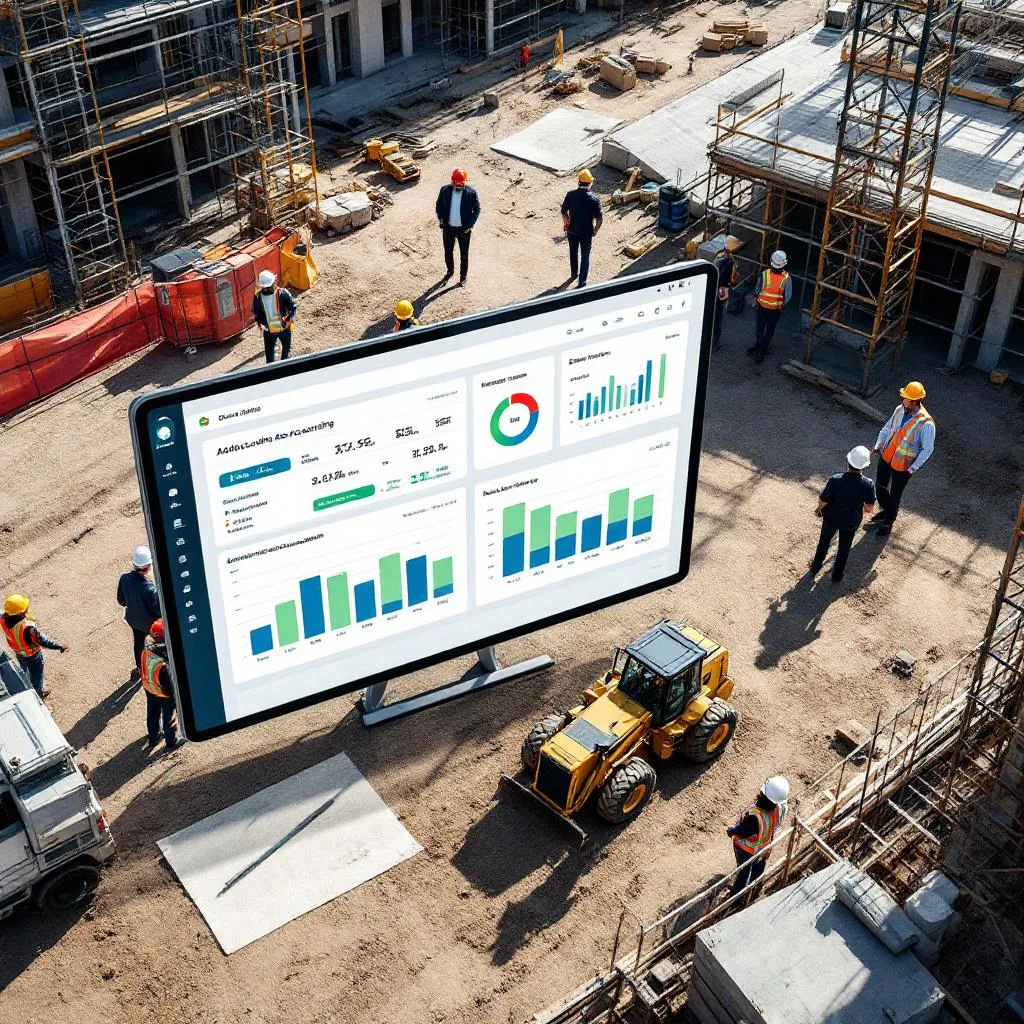
7 Best Construction Accounting Software Options for San Antonio Firms
Why San Antonio Builders Need Specialized Accounting Tools
Running a construction business in San Antonio is no walk in the park. From small home remodels to massive public projects, you’re dealing with long project timelines, tricky contracts, and a pile of regulations that can make your head spin. Regular accounting software like QuickBooks might work for a corner store, but it’s not built for the construction world’s unique challenges. You need tools that handle job costing, progress billing, retainage, and compliance with Texas tax laws and prevailing wage rules. This article dives into the seven best construction accounting software options, breaking down what they offer, where they shine, and where they fall short, so you can pick the right one for your San Antonio firm.
What Features Matter Most for San Antonio Construction Firms
To keep your projects profitable and compliant, your accounting software needs to do more than just crunch numbers. Here’s what to look for to tackle San Antonio’s construction scene.
Job Costing and Keeping Tabs on Project Finances
Good job costing is the heart of any construction business. The right software tracks every penny spent on labor, materials, equipment, and overhead, tying it all to specific projects. This lets you see in real time if you’re staying on budget or heading for trouble. Work-in-Progress (WIP) reports are a big deal here—they give you a snapshot of your project’s financial health, showing how much revenue you can claim based on how far along the job is. This isn’t just bookkeeping; it’s about spotting problems early and making smart moves to keep your projects in the black.
Billing and Payments That Keep Cash Flowing
Construction contracts aren’t like regular invoices. You need software that handles AIA billing or progress billing to keep cash coming in on long projects. Retainage—where clients hold back a chunk of payment until the job’s done—needs to be tracked automatically to avoid headaches. Manual billing is a mess, causing delays and errors that can choke your cash flow. Good software speeds up invoicing, cuts down on mistakes, and helps you predict cash flow better, which is critical for paying subs and suppliers on time. Forbes
Real-Time Reports and Insights
In construction, things move fast. You need instant access to financial data—WIP reports, cash flow statements, or project profitability dashboards—to make quick decisions. The best software churns out these reports automatically, so you’re not stuck piecing together spreadsheets. This turns your accounting team into a hub for real-time insights, helping you pivot when material costs spike or schedules shift.
Connecting the Office to the Field
Nothing slows you down like disconnected systems. When your accounting software doesn’t talk to your project management or time-tracking tools, you get errors, double data entry, and delays. Top-notch software integrates these systems, letting field crews and office staff share data instantly. This can cut admin time by up to 50% and reduce errors by 70%, boosting overall productivity. Research.com
Payroll That Handles Compliance
Construction payroll is a beast. With different pay rates, overtime, union rules, and prevailing wage laws, you need software that automates calculations and keeps you compliant. For public projects, certified payroll reports (like the WH-347 form) are a must. Integration with time-tracking tools ensures labor costs are tied to the right jobs, saving time and avoiding costly penalties.
Document Management and Audit Trails
Construction lives on paperwork—contracts, invoices, payroll records. A good system stores everything in one place, so you’re not scrambling to find a lost file. A solid audit trail tracks every transaction, which is a lifesaver for audits, tax filings, or settling disputes with clients or subs. This keeps your records clean and your business protected.
Scalability and Customization
As your business grows, your software needs to keep up. Look for tools that handle more projects and transactions without slowing down. Custom reports and dashboards let you tailor the system to your needs, and cloud-based access means you can check in from anywhere—perfect for managing jobsites across San Antonio.
San Antonio’s Unique Accounting and Regulatory Challenges
Operating in San Antonio comes with its own set of rules that your accounting software needs to handle.
Navigating Texas Sales Tax
Texas sales tax laws for construction are tricky. For residential remodels, labor isn’t usually taxable, but materials are, depending on whether you use a lump-sum or separated contract. For non-residential jobs, the whole bill—labor and materials—is often taxable. Your software needs to sort out these differences, track exemptions (like for natural disaster repairs), and handle local tax rates to keep you compliant.
Prevailing Wage for Public Projects
If you’re working on public projects in San Antonio, Texas law (Chapter 2258) and the federal Davis-Bacon Act require you to pay prevailing wages, including fringe benefits. You’ll need to file certified payroll reports, often using the WH-347 form, and keep detailed records for audits. Mess this up, and you’re looking at $60 per day per worker in penalties. Your software has to nail these calculations and reports.
Local Permits and Fees
San Antonio and Bexar County require permits for everything from new builds to remodels, with fees based on project size. You’ll need to track these costs accurately, along with contractor registrations and zoning certificates. Your software should handle these expenses and tie them to the right projects.
Why You Need a Construction CPA
Construction accounting isn’t just about software. A CPA who knows the industry can help with job costing, revenue recognition, and tax strategies. They’ll make sure your financials are solid for bonding, loans, or audits, especially when material costs or supply chains throw curveballs. Pairing expert advice with good software is the key to staying profitable.
The 7 Best Construction Accounting Software Options for San Antonio Firms
Here’s a rundown of the top seven tools that can help San Antonio builders manage their finances, stay compliant, and grow their businesses.
1. Procore
Procore is a powerhouse for construction management, with strong accounting features for real-time financial tracking. It connects with over 500 tools, linking your field and office teams for instant updates. It also handles preconstruction tasks like bids and budgets.
Pros: Scales well for big or small firms, with unlimited users and data storage. You can customize reports and budgets easily, and 24/7 support keeps you covered.
Cons: Pricing is tied to your Annual Construction Volume, so it can get pricey for larger firms.
Price: Custom, around $1,000 per $1 million in Annual Construction Volume.
Best for: San Antonio firms with diverse projects, especially public works needing tight compliance and collaboration. Its integrations and scalability make it great for growth-focused businesses. Capterra
2. Deltek ComputerEase
Deltek ComputerEase is built for construction, with top-notch job costing and payroll features. It tracks costs across multiple job sites and automates complex payroll, including union and prevailing wage rules. Its document hub keeps everything organized.
Pros: Saves time with centralized documents and accurate cost tracking. Fast setup makes it easy to get started.
Cons: Some tasks, like adjusting accounts receivable, can be clunky. The full feature set might be overkill for smaller firms.
Price: Custom quote required from the vendor.
Best for: San Antonio firms on public projects needing certified payroll and multi-site tracking. Great for contractors juggling several jobs at once.
3. Sage Intacct
Sage Intacct is a heavy hitter for financial management, streamlining journal entries and invoice handling. It’s scalable and handles complex revenue recognition with ease, plus it’s got built-in compliance tools.
Pros: Efficient for journal entries and invoice management. Highly customizable and easy to learn.
Cons: Searching transactions can be tough, and pre-built reports for construction may need tweaking. Customer support can be hit-or-miss.
Price: Custom quote based on modules, users, and setup complexity.
Best for: Mid-to-large San Antonio firms needing deep financial insights and scalability, especially with multiple entities or complex revenue needs.
4. Acumatica
Acumatica is a cloud-native ERP with a strong audit trail and automation for payroll and invoices. It’s great for managing multiple projects or business units, with flexible access from any device.
Pros: Transparent audit trail, fast setup, and no per-user fees. Saves time with automation and centralized financials.
Cons: Limited pre-built construction reports and some challenges with historical data migration.
Price: Starts at ~$6,000/year for five users; mid-sized firms may pay $25,000+/year, plus implementation costs ($30,000-$100,000+).
Best for: Growing San Antonio firms needing flexibility and strong audit capabilities, especially with diverse or multi-entity projects.
5. FOUNDATION
FOUNDATION is a contractor-focused software with modules for job costing, payroll, and more. Its DataGenie tool lets you create custom reports, and a mobile app keeps field teams connected.
Pros: User-friendly, with great customer support and high customizability. Strong for WIP reporting and subcontractor management.
Cons: Pre-built reports may need tweaking, and some users report occasional glitches.
Price: Starts at ~$400/month, customized based on modules.
Best for: San Antonio firms needing customizable, compliance-friendly software, especially for union or prevailing wage projects.
6. CMiC
CMiC is a full-blown ERP with a single database for budgeting, forecasting, and accounting. Its mobile app, CMiC FIELD, brings real-time project data to the jobsite.
Pros: Scales for any size firm, with strong support and risk management tools. Unified data reduces errors.
Cons: Can be slow, and setup/training takes time.
Price: Custom quote required from the vendor.
Best for: Large San Antonio contractors with complex projects needing total financial and operational control.
7. QuickBooks for Construction
QuickBooks for Construction is a budget-friendly option for small contractors, with tools for job costing, invoicing, and basic contract management. It syncs with payroll and other tools like Corecon.
Pros: Affordable, easy to use, and great for beginners. Strong support and integrations.
Cons: Limited features, no built-in retainage tracking, and user caps make it less ideal for bigger firms.
Price: Plus tier: $49.50/month (first 3 months), then $99/month; Advanced tier: $117.50/month (first 3 months), then $235/month. Payroll adds $50-$130 + $6-$11/employee.
Best for: Small San Antonio contractors looking for an affordable, entry-level solution with familiar QuickBooks features.
Frequently Asked Questions
Why do San Antonio construction firms need specialized accounting software?
Construction projects have unique needs like job costing, progress billing, and compliance with Texas tax and prevailing wage laws. Specialized software handles these better than generic tools, saving time and reducing errors.
What are the key features to look for in construction accounting software?
You need job costing, WIP reporting, AIA billing, retainage tracking, certified payroll, document management, and integrations with project management tools to streamline finances and compliance.
How does software help with Texas prevailing wage compliance?
It automates wage calculations, including fringe benefits, and generates certified payroll reports (like WH-347) to meet Texas and federal Davis-Bacon requirements, avoiding penalties.
Which software is best for small San Antonio firms?
QuickBooks for Construction is great for small firms due to its low cost, ease of use, and basic job costing features, though it lacks advanced retainage tools.
What’s the best choice for large contractors in San Antonio?
Procore or CMiC are top picks for large firms, offering scalability, integrations, and robust tools for complex projects and compliance needs.
Wrapping Up: Choosing the Right Tool for Your Firm
Picking the right accounting software is a big deal for San Antonio construction firms. Small shops can start with QuickBooks for its affordability and simplicity, while growing firms might lean toward Acumatica or Sage Intacct for their flexibility and deep analytics. For public works or unionized projects, Deltek ComputerEase and FOUNDATION shine with their compliance and payroll features. Big players with complex needs will get the most from Procore or CMiC, which offer end-to-end control and integrations. The right choice depends on your firm’s size, project complexity, and compliance needs. Pairing these tools with a construction-savvy CPA will keep your finances tight, reduce risks, and help you thrive in San Antonio’s bustling construction market.

Author: STAFF HERE SAN ANTONIO WRITER
The SAN ANTONIO STAFF WRITER represents the experienced team at HERESanAntonio.com, your go-to source for actionable local news and information in San Antonio, Bexar County, and beyond. Specializing in "news you can use," we cover essential topics like product reviews for personal and business needs, local business directories, politics, real estate trends, neighborhood insights, and state news affecting the area—with deep expertise drawn from years of dedicated reporting and strong community input, including local press releases and business updates. We deliver top reporting on high-value events such as Fiesta San Antonio, San Antonio Stock Show & Rodeo, and Dia de los Muertos. Our coverage extends to key organizations like the Greater San Antonio Chamber of Commerce and United Way of San Antonio and Bexar County, plus leading businesses in retail, insurance, and energy that power the local economy such as H-E-B, USAA, and Valero Energy. As part of the broader HERE network, including HEREAustinTX.com, HERECollegeStation.com, HEREDallas.com, and HEREHouston.com, we provide comprehensive, credible insights into Texas's dynamic landscape.